
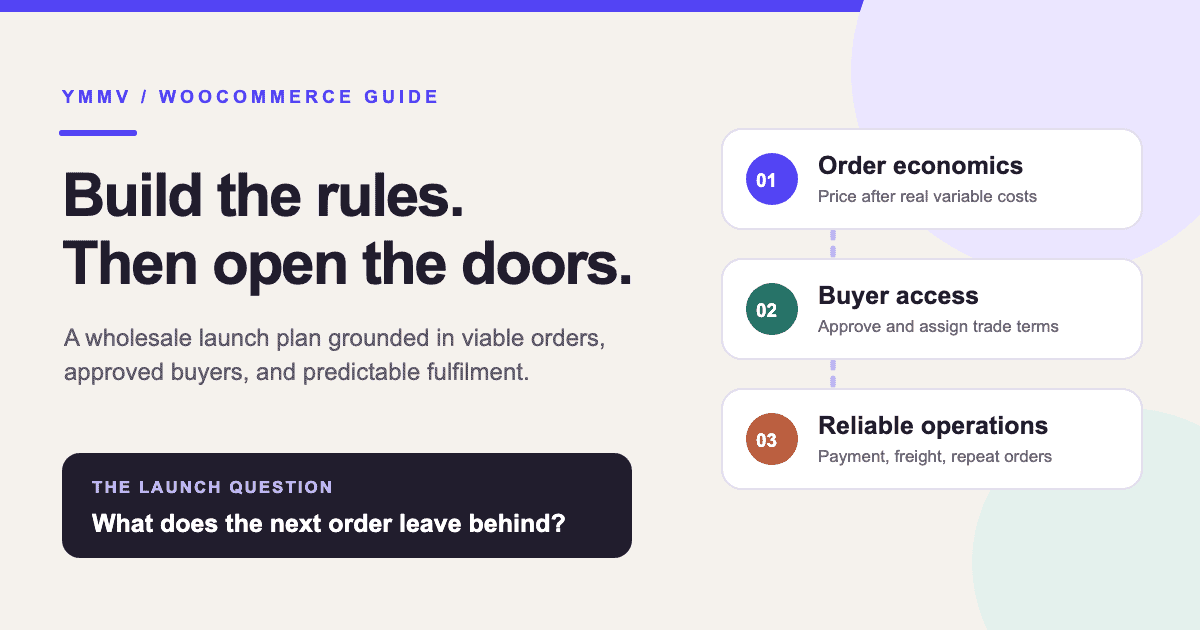
A large wholesale order is not necessarily a good order. A lower unit price, extra picking time and a freight charge you underestimated can erase its margin. Before choosing a wholesale extension, decide which buyers you will serve and what an order must contribute after its variable costs.
This is a launch plan for a WooCommerce store that sells to trade buyers. It covers the commercial rules and the customer journey. If you need the individual tax display controls, see our separate guide to showing prices with and without tax.
1. Choose the store model
Pick the buying journey before configuring roles or prices:
| Model | Buyer experience | Main decision |
|---|---|---|
| Wholesale only | Approved trade buyers access a private catalogue or private prices. | What can an unapproved visitor see? |
| Mixed retail and wholesale | Guests shop retail; approved accounts get trade terms in the same store. | Which rules change after login? |
| Quote led | Buyers browse and request a price or freight quote before an order is accepted. | Who responds, and how quickly? |
A mixed store saves you from maintaining two catalogues, but each product, discount, tax label, shipping method and payment option needs a clear rule for both audiences. A quote path can be sensible for irregular freight or negotiated products. Neither approach guarantees better sales; choose the one your team can operate consistently.
2. Calculate what the minimum order leaves behind
Start with a per-order contribution calculation. Use product revenue and costs on the same tax basis, normally excluding any tax collected for a tax authority. Include the costs that change when you accept that order.
| Illustrative order | Amount |
|---|---|
| Product revenue, excluding tax | £350 |
| Landed product cost | −£220 |
| Picking and packing | −£18 |
| Payment fees | −£7 |
| Carrier charge | −£36 |
| Shipping paid by buyer | +£15 |
| Expected returns or credit loss allowance | −£8 |
| Order contribution | £76 |
These are example numbers, not a typical wholesale margin. The £76 still has to help cover fixed costs such as rent, software and salaried staff. It is not net profit. Recalculate the example using your real costs, including product variations and the smallest order you will accept.
For example, if the wholesale channel must cover £1,900 in fixed costs each month, 25 orders contributing £76 each would only break even on those costs.
To leave £500 after those fixed costs, the same example needs at least 32 orders: (£1,900 + £500) ÷ £76, rounded up. That assumes every order contributes £76. A different product mix or more returns changes the result.
Use your own cost allocation and realistic order mix. A large revenue figure alone will not show whether the channel is profitable.
If that minimum order contributes too little, adjust the trade price, case quantity, minimum basket, shipping charge or payment terms. A blanket “retail price minus 40%” rule hides the differences between light, high-margin products and heavy or low-margin ones.
3. Decide who qualifies for trade terms
Write down the evidence you need from an applicant: company and contact details, the markets they buy for, and any tax or resale information relevant to your business. Keep the form proportionate. Decide who reviews applications, what counts as approval, and which terms an approved buyer receives.
WooCommerce core account settings can enable customer registration on the My Account page or during checkout. A trade application, approval queue and separate wholesale role require additional implementation. For example, WooCommerce's wholesale extension documentation describes registration, roles and approval as extension features. Check your chosen extension's current capabilities and compatibility before building the process around it.
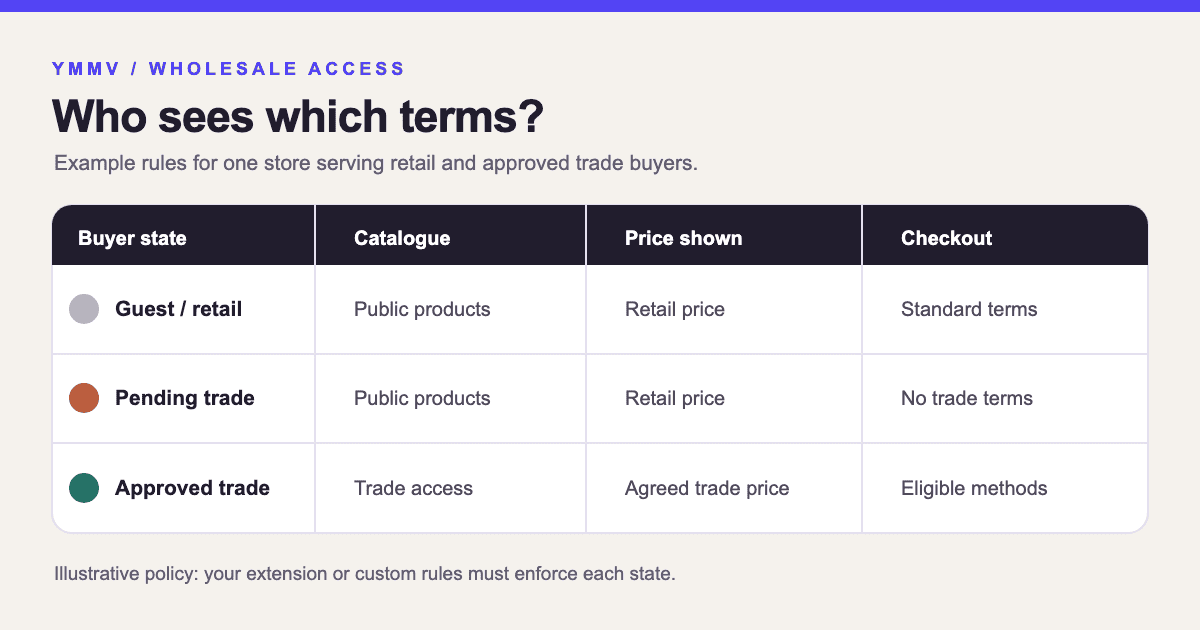
Start with the smallest useful set of buyer states: public or retail, pending trade, and approved trade. Add special tiers only when there is a real difference in price or terms. A pending applicant should not accidentally receive approved prices.
4. Set catalogue and pricing rules together
For each product group, record who can see it, the trade price, any quantity tier, and the smallest permitted pack. Product-specific prices are more work to maintain but may be safer where margins differ sharply. Category discounts are easier to manage but need exceptions. Quantity tiers should earn their discount through real savings in picking, packaging or freight, not simply a larger order total.
Specify how coupons interact with trade prices. Test product variations and sale items, not just one simple product. Decide what a logged-out visitor sees when a wholesale-only product is linked from search or an email.
Wholesale pricing, visibility, quantity limits and approval are normally supplied by a wholesale extension or custom implementation. WooCommerce's B2B extension documentation shows these as distinct configurable rules. Avoid assuming that installing any one extension will make every rule work together automatically.
5. Keep tax display separate from trade pricing
An ex-VAT or ex-tax label does not create a wholesale discount or make a buyer tax-exempt. First configure rates, taxable products, address handling and prices entered with tax in WooCommerce's tax settings. Then decide how clearly each audience should see inclusive and exclusive amounts. Requirements vary by location and customer type, so check the rules that apply to your store.
For a mixed store, Tax Toggle for WooCommerce can let a shopper switch the displayed inc/ex tax view. It uses the store's WooCommerce tax configuration; it does not approve trade accounts or set lower base prices. Keep the final cart and checkout totals authoritative and test the labels for guests and approved buyers.
6. Make payment and shipping rules explicit
Choose payment terms by buyer and order risk. Card payment is straightforward, but fees matter on large orders. WooCommerce's built-in Direct Bank Transfer is a manual payment method: the order is put on hold while you verify the deposit. Do not ship because the buyer selected bank transfer. Credit limits, invoice terms and purchase-order fields need a defined process and, where necessary, compatible extensions.
Price freight using actual order patterns. Core WooCommerce offers flat rate, free shipping and local pickup within shipping zones. Pallet freight, table rates or buyer-arranged collection may need extra rules or a quote process. Test a small basket and a large mixed basket in each shipping zone you serve. A free-shipping threshold should be based on the contribution left after the carrier charge.
Show minimum order values and case-pack rules before checkout. For most stores, a minimum based on product subtotal is easier to reason about than one inflated by tax or freight. State the rule plainly on the trade page and test that the cart enforces it.
7. Test the complete journey, then open to a small group
Create test accounts for a guest, a normal customer, a pending applicant and an approved trade buyer. Walk through the same product and order as each one. Check:
- Catalogue and price visibility, including search results and product links.
- Quantity tiers, case packs, minimums, coupons and variations.
- Tax labels and final cart and checkout totals.
- Available payment and shipping methods in each location.
- Order confirmation emails, invoices or packing documents used by your team.
- What staff see when approving an account, processing a bank transfer and handling a reorder.
Then invite a handful of known trade buyers. Watch the first orders and record the actual contribution, approval time, support questions and manual corrections. Change the rules that create repeated work before expanding the programme.
The goal is a wholesale channel your team can run reliably. A useful launch gate is simple: the right buyer sees the right product at a viable price, can complete the agreed payment and delivery path, and leaves an order your staff can fulfil without guesswork.