
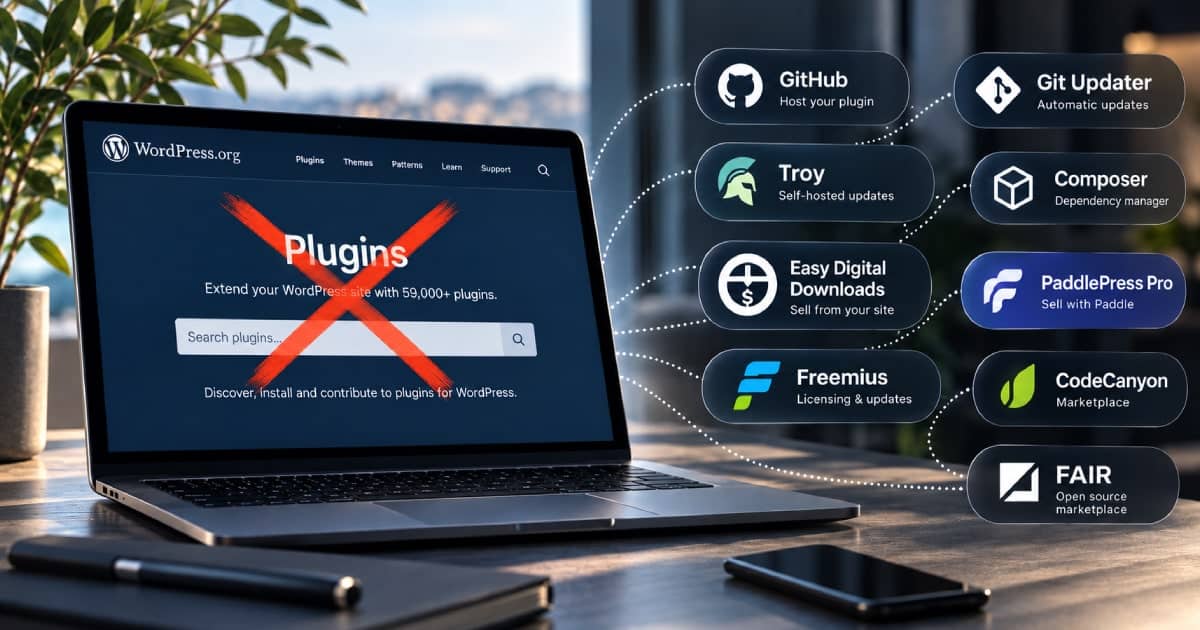
Almost every WordPress developer assumes their plugin has to go in the WordPress.org directory, because for twenty years that was the only sensible place to put it.
That assumption is out of date. The WordPress.org plugin directory in 2012 was a gift. What’s changed is that it’s no longer the obvious default, and there’s now a real ecosystem built by people who worked that out before we did.
We went and checked what the alternatives look like in 2026, and found a proper ecosystem of tools, most of them free, several of them better than what the directory offers. We hope it helps you make the right choice, aspiring plugin developer.
Let’s work out what you’re actually replacing
WordPress.org does four separate jobs, and people treat them as one thing. Split them up and the problem gets much smaller.
It hosts a zip file. It answers an API request telling a site that version 1.0.1 exists. It renders a page with a description and a changelog. And it puts you in front of people who weren’t looking for you.
The first three are a Saturday afternoon of work, or a free service. Only the fourth is genuinely hard to replace, and the directory isn’t doing much of it any more either. Rafal Gron logged what happened when his plugin spent thirteen days in the WordPress.org Featured tab, which is the single best placement the directory can give anyone. It took him from 30 active installs to 200, and the downloads chart returned to baseline within a fortnight.
So: solve the boring three properly, then do your own marketing, which you were going to have to do anyway.
Bolt an updater into the plugin you already have
The cheapest route is a library that hooks into WordPress’s own update system and points it at a URL you control. Users still see “update available” in wp-admin. Nothing about the experience changes for them.
Plugin Update Checker by Yahnis Elsts is the default answer and has been for years. Drop it in, host a JSON metadata file and a zip somewhere, done. It reads GitHub, GitLab and Bitbucket releases directly if you’d rather not maintain the JSON yourself. It’s MIT licensed, it’s been battle-tested across a very large number of commercial plugins, and it does not care where you host anything.
Git Updater by Andy Fragen (source) works two ways, and the second is the one most people miss. Installed on a site, it updates any plugin or theme carrying the right header from GitHub, GitLab, Bitbucket, Gitea or Gist, which is ideal for agencies pushing client code to a fleet. But you can also run it on your own public site as a release server and ship Git Updater Lite inside your plugin, which is a Composer package and two lines in your main file. Your users install nothing extra and updates arrive in the dashboard as normal. The plugin is free for public repositories; a $19.95/yr licence adds private repos and authenticated API requests, which you’ll want as soon as you have enough installs to hit GitHub’s rate limits.
Both work. Update Checker is fewer moving parts if you just want a JSON file on a server. Git Updater is more setup and more capability, and makes sense if you’re releasing several plugins from one place.
Hand the plumbing to someone else
If you’d rather not run the endpoint, three services do it properly.
wp-content.io, run by a French outfit called Happy Monkey, is the most straightforward. You add one line to your plugin header, push a build from their dashboard, their CLI, or your CI pipeline, and their free External Repositories plugin connects the site. Zips sit on a CDN and stay private. There’s a free tier for a single plugin and an agency plan with a fair-use limit of fifty domains. No library to embed, no code changes.
Troy is the interesting one, and not just because it’s MIT licensed and entirely self-hosted. It’s built by Sybre Waaijer, who also writes The SEO Framework, and who in August 2026 was the person who found and published what Rank Math was doing with WordPress application passwords on four million sites. Troy Server is a plugin you run; Troy Client is a plugin your users run, and you can bundle it into your installer so they never think about it. Updates appear in the native dashboard like any other. It’s opt-in per plugin via a Troy header, it coexists with WordPress.org rather than replacing it, and it filters Troy-enabled plugins out of WordPress.org’s update requests entirely, so .org never sees them. Being MIT rather than GPL means your own plugin inherits nothing from it.
Pay for the plumbing, but get to charge your users too
Easy Digital Downloads with Software Licensing is the commercial standard, and has been since roughly forever. Licence keys, activation limits, renewals, automatic updates gated on a valid licence, and a store attached. It’s a paid extension on top of a free plugin and it’s WordPress-native, so if you’re already running a WordPress site it’s the least alien option. Overkill if you’re giving the plugin away.
PaddlePress Pro by HandyPlugins is a plugin you run on your own WordPress site that turns it into a licence server on top of Paddle: licence key generation, activation, domain-based licensing, automatic updates for your plugins and themes, a customer dashboard, protected downloads, and membership levels mapped to Paddle price IDs. It’ll also serve private WordPress packages over Composer. Paddle is the merchant of record, so VAT and sales tax remain someone else’s problem, but you pay for the software once rather than surrendering a share of every sale, and the licensing data lives in two tables in your own database. The free base plugin handles checkout; the Pro version is where the licensing and update server live, sold annually or as a lifetime licence.
Freemius goes furthest, but takes the most in return. You embed their SDK, and you get licensing, automatic updates, an in-dashboard checkout, subscription billing and dunning, affiliate management, and the usage analytics the plugin directory has never offered. They act as merchant of record, which means VAT and sales tax compliance stops being your problem, and for anyone selling into the EU from outside it that alone is worth something. The cost is a progressive revenue share: 4.7% on the first $50,000 of monthly sales, plus a 2.3% surcharge for the WordPress-specific product, falling to 0.5% once you’re past $100,000 a month. Add roughly 3.5% in gateway fees and you’re giving up about a tenth of every sale at the entry level, though Freemius takes no cut of the processing itself. It’s the opposite trade to everything else on this list: maximum convenience, minimum control. If the theme of this article is owning your own distribution, Freemius is the option that quietly undoes that.
Composer, if your users are developers
If you’re shipping to agencies, developers or enterprise rather than to people clicking “Add New”, Composer is the sane distribution channel and has been for a decade. WordPress plugin installs work fine through it with the composer/installerspackage.
Publish to WPackagist and Packagist if the code is public. If it isn’t, run a private repository with Satis or use a hosted private registry. Either way you get real dependency resolution, version constraints, a lock file, and a deployment story that works in CI. None of which the plugin directory has ever offered.
The tell that this is the right choice: if your users have a composer.json in their site root, they’d rather get your plugin from there than from a zip.
GitHub is a perfectly good CDN
Worth saying out loud because the “free hosting” argument for WordPress.org relies on people not thinking about it. GitHub Releases will host and serve your zips at no cost, with versioned tags, release notes that double as your changelog, and an API that both Plugin Update Checker and Git Updater read natively.
GitHub Actions can build and tag the release on push. Cloudflare, Vercel, Netlify and Pages will serve the landing page for free. The whole distribution stack costs nothing and you control every part of it, including when a release goes out, which is no longer true on WordPress.org.
But users won’t get auto-updates.
FAIR, if you want the federated version
FAIR — Federated and Independent Repositories — is the closest thing to a structural answer. It came out of the ACF takeover, launched publicly in Basel in June 2025, and is now a Linux Foundation project with proper third-party governance rather than one person’s server. The protocol is built on ATProto and W3C DIDs, the goal is a supply chain where no single entity controls it end to end, and it’s at 1.4.1 and installable today.
It isn’t yet a place where your plugin will be found by a stranger, and we’d be lying if we said otherwise. But it’s the only option on this list that’s trying to fix the underlying governance problem rather than route around it, and it’s run by people with track records: Carrie Dils, Mika Epstein and Ryan McCue chair the technical steering committee. Worth publishing to, worth contributing to, worth watching.
CodeCanyon, if you want a marketplace that’s actually a marketplace
Envato’s CodeCanyon is a real storefront with real buyers arriving with card details in hand, which is more than the plugin directory can claim. The trade-off is that they take a serious cut, the terms differ depending on whether you list exclusively, and the GPL situation around split licensing on their marketplace has been argued about for years.
We wouldn’t put a flagship product there. As a second channel for a utility plugin, it moves units.
What you take on
Leaving the directory means you own your supply chain. In June 2026, ShapedPlugin’s Pro builds were backdoored through their own distribution, not through WordPress.org. There are surely other cases, but you become a bit more responsible if you distribute yourself.
That’s the failure mode you’re signing up for, and it’s on you to prevent, with: two-factor on the repo and the build pipeline, no long-lived tokens, signed tags, reproducible builds if you can manage it…
If you stop maintaining a plugin and disappear, people on WordPress.org at least get a “not tested with the last three major releases” warning. On your own server they get nothing. Write that into your plan for handing the thing on or shutting it down. But is that a major problem? Not all plugins require constant updates, I’ve had custom plugins continue to work for years without changing the “Tested up to:” key.
And you lose the free traffic, such as it is. You’ll probably need a landing page, a changelog people can read without installing anything, somewhere to file bugs, and a way to tell existing users that a security fix has shipped. GitHub definitely gives you all those things.
Otherwise a mailing list is not optional. It is, in fact, the main thing you gain: on WordPress.org you cannot contact your own users at all. Now you own it.
What did you decide?
Whichever route you take, the important part is shipping it. Plenty of people have built a career out of a plugin they wrote in a weekend to fix something annoying, and none of them got there by waiting for the distribution question to resolve itself.
Put it out, tell people it exists, and see who turns up. We’d like to hear what you chose.