Clone / Duplicate Orders Pro for WooCommerce
Clone, duplicate or copy WooCommerce orders in one-click from the WooCommerce Admin.
Clone / Duplicate Orders for WooCommerce is the perfect solution to streamline your order management process and speed up your processes.
Built For WooCommerce
The simplest way to duplicate an order in WooCommerce
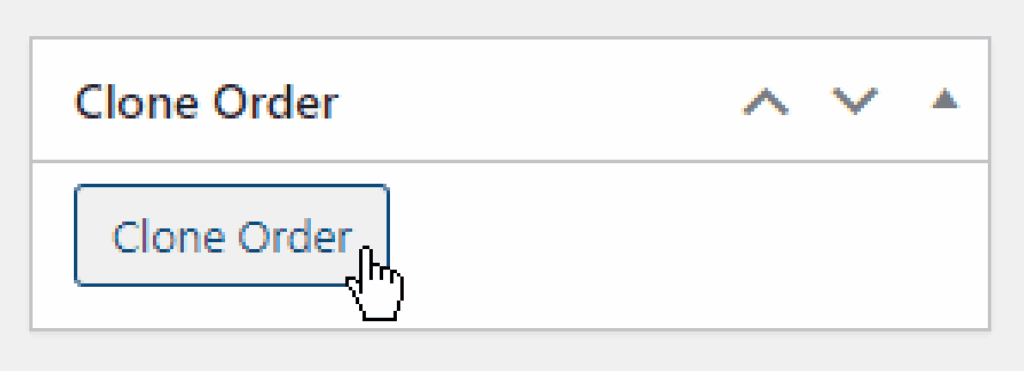
This simple but powerful extension for WooCommerce adds a Clone Order button to your Orders table, as well as an Action option and metabox on individual order pages.
Our WooCommerce duplicator plugin works WooCommerce, WooCommerce High Performance Order Storage (HPOS), Sequential Order Numbers plugin, and Custom Fields including Advanced Custom Fields (ACF) and Secure Custom Fields (SCF).
Completely Customisable
Copy ALL the fields
(or just some)
Set default clone rules to suit your business or specify clone rules per order. We provide rules for virtually everything attached to a WooCommerce order.
Set cloned order status
Chose how to handle stock levels
Use a products original or latest pricing
Include or exclude out of stock products
Use an orders original shipping details or choose
Keep the same payment info or choose
Control order notes
Copy all or specific custom fields
Choose redirect after clone
Use Cases
Why does your WooCommerce store need an order cloner?
✴
Creating similar orders for multiple customers
Instead of manually entering the same order over and over, you can create it once, then clone the order as many times as needed, updating customer details as necessary.
✴
Handling returns and exchanges
Refund the returned items on the original order, clone it to create a new, empty order, and add any exchanged items. This retains your usual order fulfilment process, and your reporting remains accurate.
✴
Processing repeat orders for existing customers
Duplicate their last order and make any necessary updates. This speeds up the process, saving time and reducing repetitive tasks.
Choose your license
Billed annually until canceled.
Easily cancel anytime from your account.
Starter
Best for stores getting started
- Use on 1 site
- 1 year of updates & support
- Email support
Yearly subscription, cancel anytime.
Business
Great for Staging and Live environments
- Use on 3 sites
- 1 year of updates & support
- Priority support
Yearly subscription, cancel anytime.
Agency
Ideal for multiple clients & stores
- Use on 20 sites
- 1 year of updates & support
- Priority support
Yearly subscription, cancel anytime.
One-time payment for lifetime access.
No recurring fees, yours forever.
Starter
Best for stores getting started
- Use on 1 site
- One-time payment
- Lifetime updates & support
- Email support
One-time payment, lifetime access.
Business
Great for Staging and Live environments
- Use on 3 sites
- One-time payment
- Lifetime updates & support
- Priority support
One-time payment, lifetime access.
Agency
Ideal for multiple clients & stores
- Use on 20 sites
- One-time payment
- Lifetime updates & support
- Priority support
One-time payment, lifetime access.
Prices shown exclude tax – applicable taxes will be added at checkout based on your location.
If you let a yearly license expire then you can keep using the plugin but won’t receive any more updates, new features or support. Lifetime licenses include lifetime updates and support.










Payments are processed securely by Paddle. We don’t store any payment information.
Payments will appear on your statement as PADDLE.NET**YMMVLLC — so don’t panic, it’s not a weird late-night purchase. Just let whoever pays the bills know.

100% Money Back Guarantee on all our plugins
Thinking twice about buying this plugin? Don’t stress. Your purchase is covered by our 14-day money-back guarantee — no awkward questions, no hoops to jump through. If it’s not the right fit, doesn’t work as expected, or maybe you simply change your mind, just let us know within 14 days and we’ll refund you in full.
Frequently Asked Questions
Where can I find the Clone button?
The plugin adds a Clone Order button to your Orders table, as well as an Action option and metabox on individual order pages. On the orders index, the clone button is not displayed by default by WooCommere. Go to Screen Options at the top of the screen. then select “Actions” and the Actions column will appear which includes the Clone button.
Does Clone / Duplicate Orders for WooCommerce load any files on the frontend?
No, Clone / Duplicate Orders for WooCommerce only loads files in the admin area of WordPress and will not impact performance of your website or store.
Does the plugin work in my language?
Clone / Duplicate Orders for WooCommerce is fully translatable and we include the POT file in the plugin.
Can I still use the plugin when my license expires?
Yes you can continue to use the plugin when your license expires, but you will not receive updates, bug fixes, or support. You can keep using the last version prior to your license expiring, but we can’t guarantee this will keep working when WooCommerce or WordPress updates.
If you have a lifetime license, your license will never expire and you will always get updates, bug fixes, and support.
Can I use the plugin on development domains?
Unlimited test, development, and staging sites are included in your license. You just need to use a naming convention that our system can recognise. Read more about the development domains we allow as part of the unlimited dev sites allowance.
Can I install the plugin via Composer?
All our plugins can be installed via Composer. Perfect for users who want to keep their plugins controlled via version control.
Still have questions?
Can’t find what you’re looking for? Let’s have a chat!